 Snapr
SnaprCapture more.
Switch less.
Screenshot, record, annotate, and edit video — all in one app.
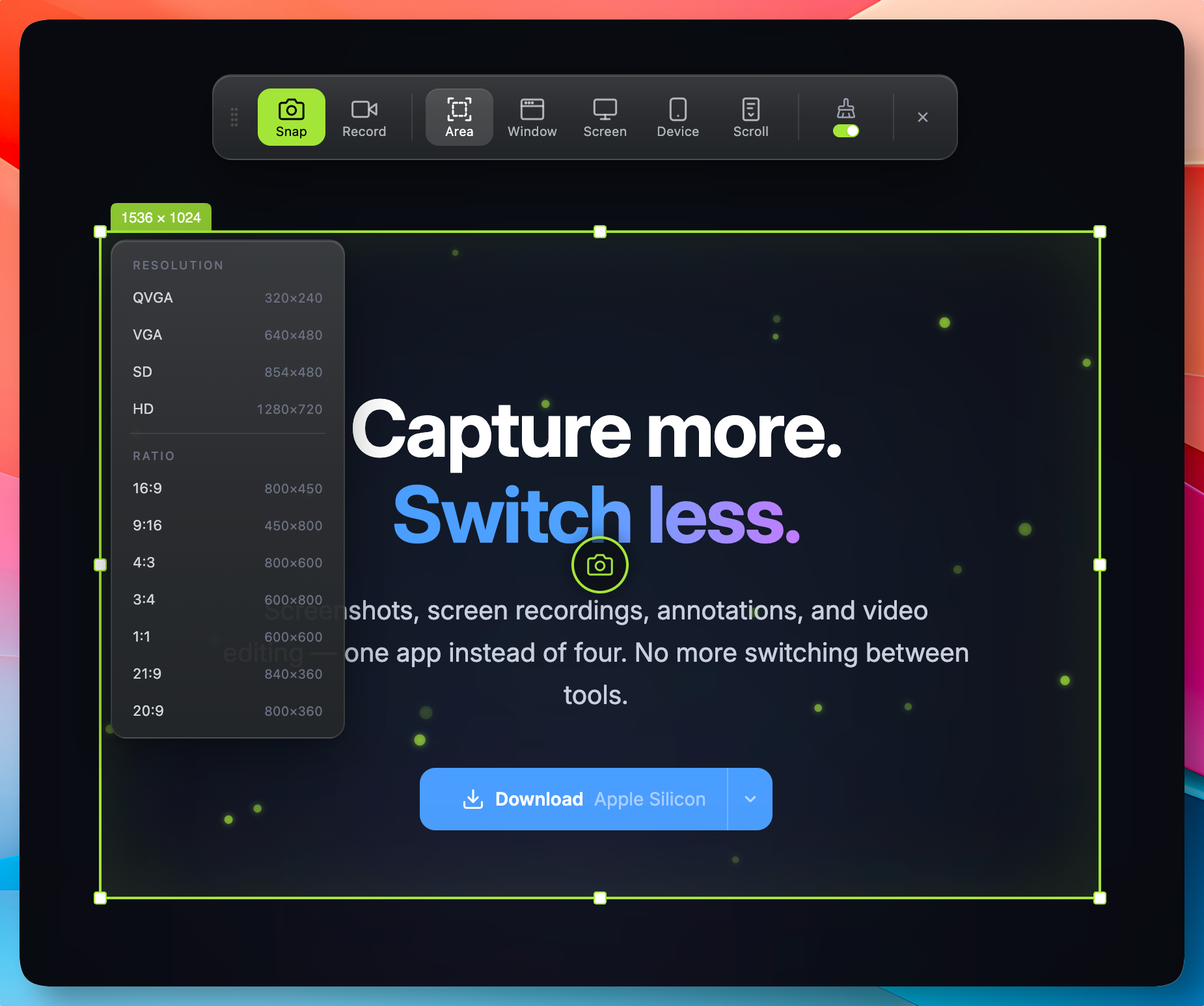
Select any region on screen — pixel-perfect capture, instantly.
Everything you need for capture work
A complete toolkit for screenshots, recordings, and visual communication.
Capture
Screenshot & recording in one
Screenshots and 60fps recordings with system audio and mic — all from a single shortcut. Retina quality, as-is.
Selection Modes
Area, window, or full screen
Draw a custom area, click a window, or select an entire display. Every mode works for both screenshots and recordings — pick what fits.
Scroll Capture
Long pages in one image
Capture long pages and scrollable regions by stitching multiple frames into a single seamless image. Clean result, no manual assembly.
Clean Desktop
Hide icons during capture
Automatically hide desktop icons before capture and restore them after. Get a clutter-free screenshot or recording without manually tidying up.
Background Composer
Wallpapers, rounded corners, shadows
Place captures on polished backgrounds with solid colors, gradients, or curated wallpapers. Add rounded corners, drop shadows, and inset borders for share-ready output.
Device Recording
iPhone & iPad (macOS only)
Record your iPhone or iPad screen directly from your Mac. Connect via USB and capture device screens with full resolution — perfect for app demos and tutorials.
Annotation
Arrows, shapes, text, numbering, blur
Annotate screenshots and video frames with arrows, boxes, circles, text, auto-numbering, freehand drawing, and mosaic blur. Multiple colors and stroke widths.
Video Editor
Trim, annotate, and export
Edit recordings on a visual timeline with audio waveforms and input markers. Add annotations to any time range, mix mic and system audio, and export as a single file.
Custom Cursor
Stylize your pointer in post-edit
Choose from multiple cursor styles with spring-smoothed motion, motion blur, and click effects like sonar and push — all applied after recording.
Export Profiles
H.264, AV1, GIF, and custom presets
Export with H.264 for broad compatibility or AV1 for sharper screen content. Choose from presets or fine-tune resolution, bitrate, FPS, and codec.
Themes
Customize your overlay look
Choose from multiple highlight themes — classic blue, mint, rose, amber, and more — including animated particle effects and WebGL shaders.
Cross-Platform
macOS & Windows, same experience
One app, two platforms. Runs natively on macOS and Windows with multi-display support and consistent behavior — no compromises on either side.
From cursor to shared, in 5 seconds.
No app switcher, no export dialog, no zip-and-email. The workflow you wish your tools already had.
STEP 01
Capture
Set your preferred shortcut and activate capture mode anytime. Grab a region, window, full screen, device, or scrollable content — then share instantly via clipboard or save to file.
STEP 02
Edit in place
Polish your capture with Snapr's built-in editor. Add text, arrows, blur, and other annotations. Compose backgrounds and custom cursors for a professional finish.
STEP 03
Export
Copy to clipboard, export as Studio quality (4K 60fps), or choose from optimized profiles for everyday use and social sharing.
Simple, transparent pricing
Pay once, use forever. No subscriptions.
75% Launch Promo — ends May 31
- ✓Screenshot capture
- ✓Screen recording at 4K 60fps
- ✓System audio & mic recording
- ✓Annotation tools (image & video)
- ✓Highlight themes
- ✓Everything in Free
- ✓All advanced features
- ✓Keep Pro foreverIncludes 1 year of new feature updates
- ✓Up to 3 devices
- ✓Everything in Pro
- ✓Lifetime updates
- ✓Up to 3 devices
Compare plans
| Free | Pro | |
|---|---|---|
| Screenshot capture | ✓ | ✓ |
| Screen recording (4K 60fps) | ✓ | ✓ |
| System audio & mic | ✓ | ✓ |
| Annotation tools (image & video) | ✓ | ✓ |
| Highlight themes | ✓ | ✓ |
| Export presets & custom settings | — | ✓ |
| Scroll capture | — | ✓ |
| Clean desktop mode | — | ✓ |
| Device capture (macOS only) | — | ✓ |
| Background compositing | — | ✓ |
| Custom cursor | — | ✓ |
| Timeline Effects | — | In progress |
FAQ